
A New Online & Mobile Banking Experience is Here!
Same Banking. Better Experience.
The same trusted banking tools you use today - now with a more modern, intuitive experience for personal and business banking. At First National Bank Minnesota, we're committed to serving our customers faster and better than anyone else. That's why we're introducing our upgraded online and mobile banking experience.
Designed for both personal and business customers, this enhancement combines the tools you already rely on with an enhanced user experience that makes banking easier, faster, and more convenient.
Frequently Asked Questions
Frequently Asked Questions - Business Online Banking
Mobile Banking Access
Need Support? We're Here to help!
Watch the Overview Video
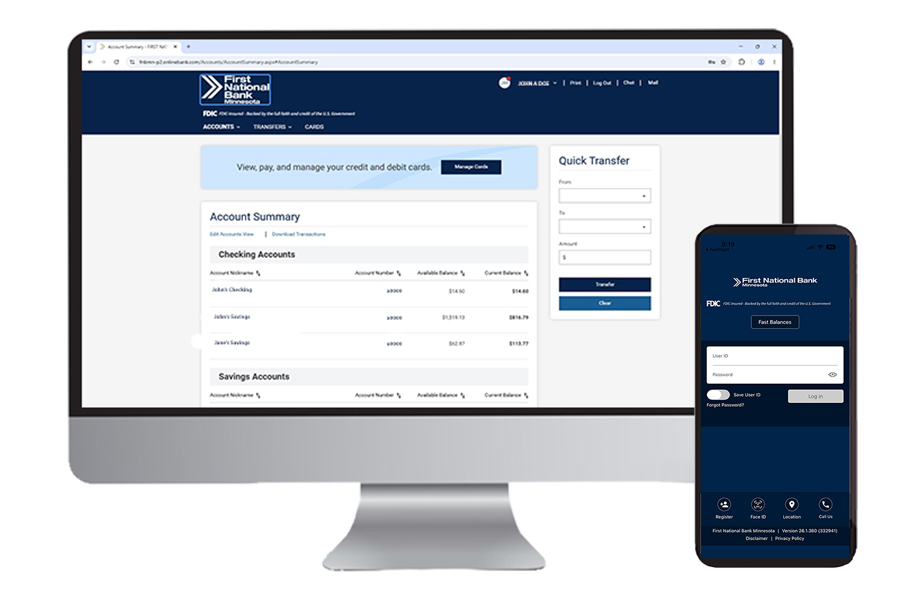
Experience a faster, simpler way to manage your finances with our new online and mobile banking platform. Deposit checks from anywhere with Mobile Deposit, move money quickly between accounts, and pay bills in just a few clicks. Stay informed with real-time account alerts, giving you peace of mind wherever you are. Built with enhanced security features to help protect your information, the platform also delivers a seamless experience across your phone, tablet, and computer. Whether you're at home, at work, or on the go, you’ll enjoy secure, convenient access to your accounts anytime, anywhere.
Frequently Asked Questions
Have Questions? We've Got Answers. We know you may have questions as we prepare for the launch of our upgraded online and mobile banking experience. Below you'll find answers to the most common questions about what to expect, what will transfer automatically, and how to ensure a smooth transition. As always, we're committed to serving our customers faster and better than anyone else, and our team is here to help every step of the way.
Will I need to enroll again?
No. Your existing Online Banking profile will transfer to the new digital platform. Simply log in on September 23 using your current username and password.
What if I forget my User ID or Password?
If you do not know your User ID, please contact First National Bank Minnesota for assistance. If you forget your Password, simply select "Forgot Password" on the login page and follow the prompts to reset it.
Will my account numbers change?
No. Your account numbers, loan numbers, and deposit accounts will remain the same.
Will I need a new mobile banking app?
Current mobile banking users will be able to continue using the same app. On September 23 after 9:00 AM CST, open your existing First National Bank Minnesota Mobile App to be directed to download the updated mobile banking app. Make sure automatic updates are turned on to experience the new platform. First-time users and business customers will need to download the new First National Bank MN app from the Apple App Store or Google Play Store once it becomes available. Watch for additional communications with download instructions.
Will this affect my account details?
Most of your account details will be saved and ready for you to use. This includes transaction history, personal finance manager information, bill pay payee information, scheduled payments and internal transfers, as well as e-Statement settings.
Will Bill Pay transfer?
Yes. Your Bill Pay payees, scheduled payments, and payment history will transfer and be available in the new platform.
Will alerts transfer?
No. Your Alerts settings will not transfer. We recommend making note of your current alerts before September 23 so they can be easily re-established after the upgrade.
Will card controls transfer?
No. Any card controls you currently have set up via “Cards” within our Mobile Banking app will not be transferred. Card controls must be set up again after launch.
Will recurring transfers transfer?
Yes. Existing recurring transfers will transfer automatically after the upgrade.
What should QuickBooks and Quicken users do before the upgrade?
If you rely on QuickBooks or Quicken for your financial recordkeeping, we recommend you do the following:
- Download historical data that you need prior to September 21.
- Download and reconcile any transactions prior to September 21.
- Save any files or reports you may need during the transition period.
- Monitor Intuit connectivity after go-live and reconnect your account if prompted by QuickBooks or Quicken.
No. Your account information and transaction history will remain available through First National Bank Minnesota's digital banking platform. The temporary interruption only affects the connection between Intuit products and the bank's systems.
When will QuickBooks and Quicken connectivity be restored?
You may reconnect your QuickBooks or Quicken account after the upgrade, but some account and transaction information will not be fully available until September 28. We will share updates as they become available.
Will Mobile Deposit still be available?
Yes. Mobile Deposit will continue to be available for consumer customers and will now also be available for business customers. This product will be enhanced through the new digital platform, making it easier than ever to deposit checks from your mobile device.
Is the upgraded experience secure?
Yes. Enhanced security features include secure login authentication, and one-time passcode verification to help protect your accounts and personal information.
Frequently Asked Questions - Business Online Banking
Will I be able to access Business Online Banking during the system upgrade?
No. Beginning at 5:00 p.m. on Monday, September 21, and continuing through 9 a.m. on Wednesday, September 23, Business Online Banking will be unavailable as we complete the transition to our upgraded digital banking platform. During this time, business customers will not be able to access their accounts through Business Online Banking or through the consumer mobile banking app.
What new features will be available for my business?
Business customers will gain access to several new and enhanced features, including:
- First National Bank Minnesota Mobile App
- Business Mobile Deposit
- Mobile Bill Pay
- An improved online banking experience with enhanced functionality and navigation
Business Mobile Deposit allows you to conveniently deposit checks directly from your mobile device through the First National Bank Minnesota mobile app. This enhanced feature gives business owners greater flexibility and saves valuable time by reducing trips to the bank.
Will Bill Pay be available in the mobile app?
Yes. Business customers will be able to access and manage Bill Pay directly within the mobile app.
Will my existing Bill Pay information transfer to the new system?
Yes. Your existing payees, scheduled payments, and payment history will automatically transfer to the new platform. You do not need to re-enter this information after the conversion. Please note that beginning September 21, you will no longer be able to set up new Bill Pay payments in the current online banking platform. Be sure to schedule any upcoming payments before that date.
Will recurring transfers transfer?
No. Existing recurring transfers will not transfer automatically. Once the new system is live, you will need to set up each recurring transfer again after the upgrade.
What should QuickBooks and Quicken users do before the upgrade?
If you rely on QuickBooks or Quicken for your financial recordkeeping, we recommend you do the following:
- Download historical data that you need prior to September 21.
- Download and reconcile any transactions prior to September 21.
- Save any files or reports you may need during the transition period.
- Monitor Intuit connectivity after go-live and reconnect your account if prompted by QuickBooks or Quicken.
No. Your account information and transaction history will remain available through First National Bank Minnesota's digital banking platform. The temporary interruption only affects the connection between Intuit products and the bank's systems.
When will QuickBooks and Quicken connectivity be restored?
You may reconnect your QuickBooks or Quicken account after the upgrade, but some account and transaction information will not be fully available until September 28. We will share updates as they become available.
When will online banking be unavailable for ACH processing?
Beginning at 5:00 p.m. on Monday, September 21, and continuing through 9 a.m. Wednesday, September 23, Business Online Banking will be unavailable. During this time, you will not be able to submit ACH files. ACH processing functions will not be available until the new platform is live at 9:00 a.m. on Wednesday, September 23.
Customers cannot schedule or send ACH Payments on Tuesday, September 22.
Any new ACH payment needed to be scheduled on Wednesday, September 23 or after will need to be submitted after the conversion is completed at 9 a.m. on Wednesday, September 23.
What ACH information will transfer to the new system?
ACH transfer templates will transfer to the new platform. To ensure uninterrupted service, we encourage all ACH customers to review their recurring ACH activity and save frequently used files as templates before September 21st.
What ACH information will not transfer?
The following items will not transfer to the new system:
- ACH transfer history
- Recurring Transfers will not transfer, only the templates will transfer
- Previously submitted ACH files that are not saved as templates
Will Positive Pay be available during the conversion?
No. Positive Pay access will be unavailable from September 21 at 5:00 p.m. until September 23 at 9:00 a.m. During this time, you will be contacted directly regarding any Positive Pay exception items requiring a decision.
Has the wire transfer process changed?
No. The wire initiation process remains unchanged. Please continue using the same wire transfer procedures you currently follow.
Mobile Banking Access
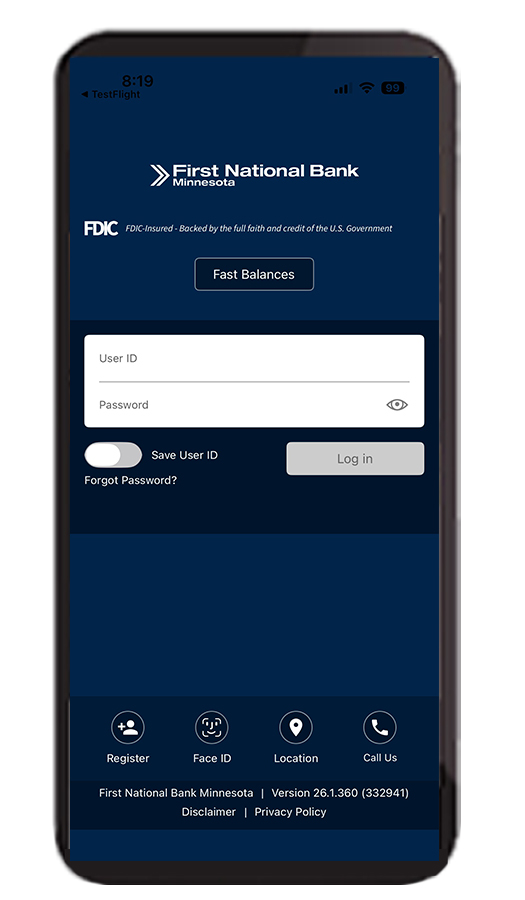
Already have our mobile app? You’re all set! Just make sure automatic updates are turned on to experience the new platform.
Exciting news for our business customers: for the first time ever, business banking will be available through the First National Bank Minnesota Mobile App. That means you'll be able to conveniently manage your business accounts right from your mobile device, giving you greater flexibility and access wherever you are. First-time users and business customers can download the new app beginning September 23.
New to mobile banking? Download the First National Bank MN Mobile App below and get started in minutes.
.png)
Need Support? We're Here to Help!
Whether you're a consumer or a business owner our team is ready to assist you throughout this exciting transition. If you have questions or need additional support from the First National Bank Minnesota team, just reach out and we’ll be in touch shortly. You can contact us by calling any of our office locations or by visiting the Contact Us page and filling out a form.